Registering a Wisconsin Deer by Phone
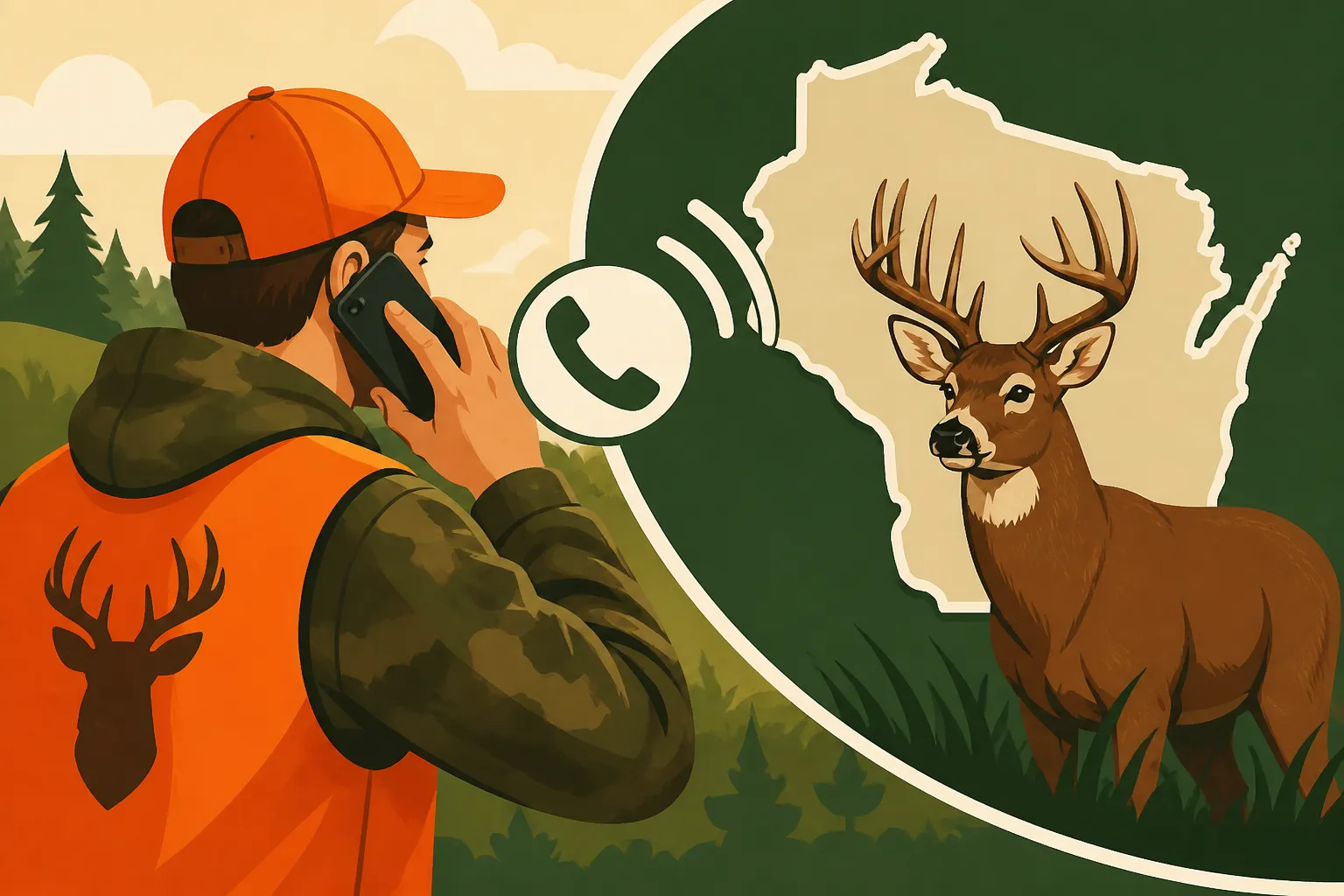
You've just made that shot count. The deer is down, recovered, and the adrenaline is still coursing through you. Now comes the important, sometimes fiddly, step of legally registering your harvest with the Wisconsin DNR. While online registration is super convenient when you have a strong signal, many of us find ourselves deep in the timber, miles from reliable internet. That's where knowing how to register a Wisconsin deer by phone becomes an absolute lifesaver, ensuring you comply with the law even when off the grid.
Why Registering Your Deer is So Crucial (and Why the Phone Option is a Game-Changer)
Let's be real, after the thrill of the hunt, getting through the registration process can feel like a chore. You're cold, tired, maybe it's getting dark, and all you want to do is get your deer home and start butchering. But registration isn't just a bureaucratic hurdle; it's a vital part of wildlife management in Wisconsin. Every registered deer provides the Wisconsin DNR with crucial data points – where deer are harvested, what kind of deer (antlered or antlerless), and even the general age class if you're asked. This information directly influences future season structures, tag allocations, and management decisions for the entire state's deer herd. Without it, the DNR is flying blind, and none of us want that.
Imagine you're hunting a prime spot in the Chequamegon-Nicolet National Forest or deep in the Driftless Area. You've walked miles, finally connected, and now you're faced with no cell service for a data connection. This is a common frustration for many Wisconsin hunters. You can't just throw the deer in the truck and head home, because that's a violation. That's why the phone registration system is an absolute necessity. It offers a reliable alternative when technology fails, or when you just prefer the old-school method. It means you don't have to drive miles looking for a spotty signal, potentially wasting precious time or risking a violation. It’s about accessibility and ensuring compliance, no matter how remote your hunting adventure takes you. Understanding Wisconsin Deer Registration Rules is key, and the phone option makes adhering to them far less stressful in challenging conditions.
The Importance of Accurate Data for Deer Management
Every registration, whether online or by phone, is a small piece of a much larger puzzle. The cumulative data collected helps the DNR track population trends, understand harvest rates, and monitor the health of the herd. For instance, if harvest numbers in a particular County Deer Advisory Council (CDAC) unit dip unexpectedly, it might trigger discussions about increasing antlerless tags in subsequent seasons to manage a potentially growing herd, or decreasing them if numbers are consistently low. Conversely, high harvest numbers in an area prone to agricultural damage might lead to more available tags to mitigate those issues.
This is also how critical issues like Chronic Wasting Disease (CWD) are monitored. While phone registration doesn't directly involve CWD sampling, the location of your harvest helps map disease prevalence. Knowing How Many Wisconsin Counties Have CWD is partly due to consistent registration data. Hunters are literally contributing to the science that ensures sustainable hunting for generations to come. It's a responsibility we all share, and the phone system helps ensure even remote hunters can fulfill that duty without undue hardship.
The Wisconsin DNR Phone Registration Process: A Step-by-Step Guide
Alright, let's get down to brass tacks. You've got your deer, you've field dressed it, and now you're ready to make that call. The Wisconsin DNR's phone registration system is designed to be straightforward, but having your information ready before you dial is crucial. Think of it like packing your hunting vest—you wouldn't head out without your license and tags, right? Similarly, don't call the registration line without these essentials.
The main number for phone registration is 1-844-426-3734 (1-844-GAME-REG). It’s available 24/7 during open seasons, which is incredibly helpful when you tag out late in the evening. When you call, an automated system will guide you through the process, prompting you for specific pieces of information. It's not a live operator (unless you run into an issue, then you might be transferred), so speaking clearly and following the prompts precisely is important.
Gathering Your Information Before You Call
Before you even think about dialing, make sure you have the following information readily accessible. Scribble it on a piece of paper, have it memorized, or keep your license handy. Being prepared will make the call go smoothly and quickly, getting you off the phone and back to celebrating your success.
Here's what you'll need:
| Information Required | Description | Example/Notes |
|---|---|---|
| DNR Customer ID Number | This is your unique identifier from The Wisconsin Go Wild Licence System. It's typically 15 digits long. | Found on your hunting license, usually starts with "WI…" |
| Year of Birth | The four-digit year you were born. | e.g., 1975 |
| Authorization Number | The unique authorization number from your deer tag (e.g., gun deer, archery, antlerless bonus tag). This number is printed on the carcass tag. | Usually 10-12 digits, like "1234567890" |
| Harvest County | The county where you actually harvested the deer, not necessarily where you live or bought your license. | e.g., Sauk, Bayfield, Trempealeau |
| Deer Management Unit (DMU) | The specific management unit where the deer was harvested. This is often tied to the county or a portion of it. You can find this on DNR maps or by using tools like Scouting With the Wisconsin Hunt Wild App. | e.g., 62A, 18, 54B |
| Deer Sex | Whether the deer was a buck (male) or a doe (female). | Buck/Male or Doe/Female |
| Antler Points (if Buck) | The number of points on both antlers combined. A point must be at least one inch long. Count them carefully! | e.g., 8-point, 10-point (if 5 on one side, 5 on other) |
| Harvest Date | The month, day, and year of the harvest. | e.g., 11/20/2024 |
| Harvest Time | The approximate time of day (24-hour format can be helpful, e.g., 1400 for 2 PM). | e.g., 07:30 (AM) or 16:15 (PM) |
| Hunting Method | How you harvested the deer (e.g., archery, crossbow, gun, muzzleloader). | e.g., Archery, Gun, Muzzleloader |
Some hunters use mapping apps or platforms like GoHunt for pre-hunt planning, which often includes layers for DMU boundaries. This can be incredibly helpful for quickly verifying your DMU when you're in the field. Double-checking this information before the hunt, or even before you call, saves a lot of headaches.
Making the Call: What to Expect
When you dial 1-844-GAME-REG, you'll hear a recorded message and then be prompted to enter your Customer ID and year of birth. This verifies your identity. Once confirmed, the system will ask if you are registering a deer, bear, turkey, or other species. Select deer.
The prompts will then methodically walk you through the harvest details:
- Authorization Number: You'll enter the specific number from the carcass tag you used.
- Harvest County: Enter the two-digit code for the county, or spell it out. The system will confirm.
- DMU: Enter the numerical or alphanumeric code. Again, confirmation will follow. Knowing Finding Your Wisconsin Deer Management Unit beforehand is critical here.
- Deer Sex: You'll likely press a number for buck or doe.
- Antler Points: If it's a buck, you'll enter the total number of points.
- Date and Time: Enter the date and approximate time of harvest.
- Hunting Method: Indicate how you harvested the deer.
After you've entered all the information, the system will read it back to you for verification. Listen carefully! This is your chance to correct any errors. Once you confirm, the system will provide you with a unique confirmation number. Write this down immediately and keep it in a safe place, alongside your filled-out carcass tag. This confirmation number is proof that your deer is legally registered. Without it, your registration isn't complete.
Common Pitfalls and Pro Tips for Phone Registration
Even a straightforward system can have its quirks, especially when you're dealing with tired brains and cold fingers. Knowing some common pitfalls and having a few pro tips up your sleeve can make the phone registration process much smoother. Many hunters, especially those new to the Wisconsin hunting scene or just unfamiliar with the phone system, often stumble on preventable issues.
One of the biggest issues is simply being unprepared. The excitement of the moment can make you forget your Customer ID or miscount antler points. I've seen it happen countless times. Another common issue is signal strength. While the phone system only requires a voice signal (which is generally more robust than a data signal), you still need some bars. If you're really deep in a valley or dense timber, you might have to move to higher ground or a clearing to get enough signal to make the call.
Troubleshooting and Best Practices
- Prep is Paramount: Before you even leave home for your hunting trip, make a note of your DNR Customer ID and keep it with your license. If you're going to a specific area, know your DMU ahead of time. Platforms like GoHunt are fantastic for this, allowing you to pre-scout and identify DMU boundaries even before you step foot in the woods. When the deer is down, confirm the county, DMU, sex, and antler points before you call. Don't try to figure it out while on the phone.
- Speak Clearly and Slowly: The automated system is listening. Mumbling or rushing your numbers can lead to errors. Take a breath, speak distinctly, and wait for the prompts.
- Double-Check the Read-Back: That moment when the system reads back your information for confirmation is critical. Don't rush through it. Listen to every detail, especially the authorization number, county, and DMU. A mistake here could lead to issues later.
- Write Down That Confirmation Number: I cannot stress this enough. Immediately after you get the confirmation number, write it down on your physical carcass tag or in a notebook. Take a picture of your written tag if you need to, but make sure you have it recorded. This is your proof of legal harvest. Losing it could be as problematic as not registering at all, potentially leading to Wisconsin Wildlife Violation Penalties.
- Consider a Satellite Communicator: For truly remote hunts, especially in the Northern Forest or some of the more isolated areas of the Driftless, a satellite messenger (like a Garmin inReach or Zoleo) can be a literal lifesaver. While it won't connect you directly to the DNR phone line, some models allow you to send custom text messages. You could potentially send a message to a friend or family member with all your info, asking them to call in the registration for you. Just make sure they have your Customer ID and know how to use the system.
- Keep Your Phone Charged: Obvious, but easily forgotten. A dead phone means no registration call. Carry a portable power bank, especially during colder weather when phone batteries drain faster.
Following these tips will significantly reduce the chances of a stressful registration experience. Remember, the goal is to enjoy your harvest, not to worry about legal compliance.
What Happens After You Register: Confirmation and Next Steps
Once you've made the call, received your confirmation number, and recorded it, you've completed the legal registration requirement. Congratulations! You've successfully navigated the system and fulfilled your responsibility as a Wisconsin hunter. But what happens next?
The immediate next step is to make sure your physical carcass tag is properly validated. Once you receive your confirmation number via phone, you must immediately write that number onto the carcass tag, along with the date and time of harvest. This physical tag, now complete with your registration number, must remain attached to the deer until it is butchered or transferred to another person for processing. This is a critical detail, as game wardens can and do check for properly validated tags.
Your Validated Tag and Carcass Movement
Having that validated tag is your green light for further handling and transportation of your deer. You can now transport your deer home, to a locker plant, or to a butcher. This is especially important when considering Wisconsin Carcass Transport Rules. The registration ensures that if you're stopped, you have proof of a legal harvest. This is particularly relevant if you're traveling across different deer management zones or counties, or if you're a non-resident hunter transporting a deer out of state.
The DNR's system is designed to track these movements and manage potential disease vectors, particularly CWD. While you've completed your part, be aware that there are still rules about moving deer carcasses, especially in CWD-affected areas. For instance, certain parts of the carcass (like the brain and spinal cord) cannot be transported out of CWD zones. Always check the latest regulations for the specific county you harvested your deer in.
Contributing to the Bigger Picture
The confirmation number you received is instantly logged into the Wisconsin DNR's database. This data then contributes to the overall Wisconsin Deer Population Estimate and annual harvest reports. This information helps wildlife biologists make informed decisions about herd health, population goals, and future hunting opportunities. So, that seemingly simple phone call has a far-reaching impact on the future of Wisconsin hunting. It's a reminder that every hunter plays a direct role in conservation and sound wildlife management. So, pat yourself on the back, you've not only put meat in the freezer but also contributed valuable data to the state's conservation efforts.
Disclaimer
Please remember that hunting regulations, season dates, and registration procedures are subject to change. Always consult the most current Wisconsin Department of Natural Resources (DNR) hunting regulations pamphlet or their official website before heading afield. This guide provides general information and should not be considered a substitute for official DNR documentation.