Carrying Licence Proof on Your Phone
It's a familiar scenario for many Wisconsin hunters: you've got your gear packed, the truck is loaded, and you're headed to your favorite hunting spot, only to have that nagging thought about your hunting license. Did you remember to print it? Is it crumpled in a forgotten pocket? For years, carrying a physical copy was the only way, leading to lost licenses, soggy paper, and general frustration. Thankfully, Wisconsin's Department of Natural Resources (DNR) has embraced technology, allowing hunters to carry proof of their licenses right on their smartphones, a convenience this guide will help you understand and utilize effectively.
The Evolution of License Proof in Wisconsin
The days of needing to physically carry a printed copy of every single license and tag are largely behind us, and honestly, it’s a huge relief for hunters who are often battling the elements. The Wisconsin DNR recognized the need for a more modern approach, understanding that smartphones are an integral part of most people's lives now, even in the woods. This shift hasn't been without its growing pains or questions, but the intention is clear: make hunting as accessible and convenient as possible while still maintaining regulatory compliance.
Moving Beyond Paper: The "Go Wild" System
The introduction of the "Go Wild" system revolutionized how we purchase, manage, and display our hunting and fishing licenses in Wisconsin. It's a comprehensive online platform that acts as your personal portal to all things licensing. Before Go Wild, you might have been standing in line at a bait shop, fumbling with paper forms, and then trying to keep those flimsy printouts safe from rain, sweat, or the general wear and tear of a hunting season. Now, whether you’re buying your annual deer license, a spring turkey authorization, or a waterfowl stamp, it all goes through this centralized system.
When you purchase a license through Go Wild, whether it's online or at a registered vendor, that information is immediately recorded digitally. This digital record is the backbone of the new system, eliminating the need for a physical document as the only proof. Many hunters still prefer a printed copy – and that's perfectly fine – but the critical change is that it's no longer mandatory in most situations. This system also makes it incredibly easy to track your harvest reports and manage your preference points, all from one accessible location. For those just getting started or needing a refresher, understanding The Wisconsin Go Wild Licence System is paramount.
What Constitutes Valid Digital Proof
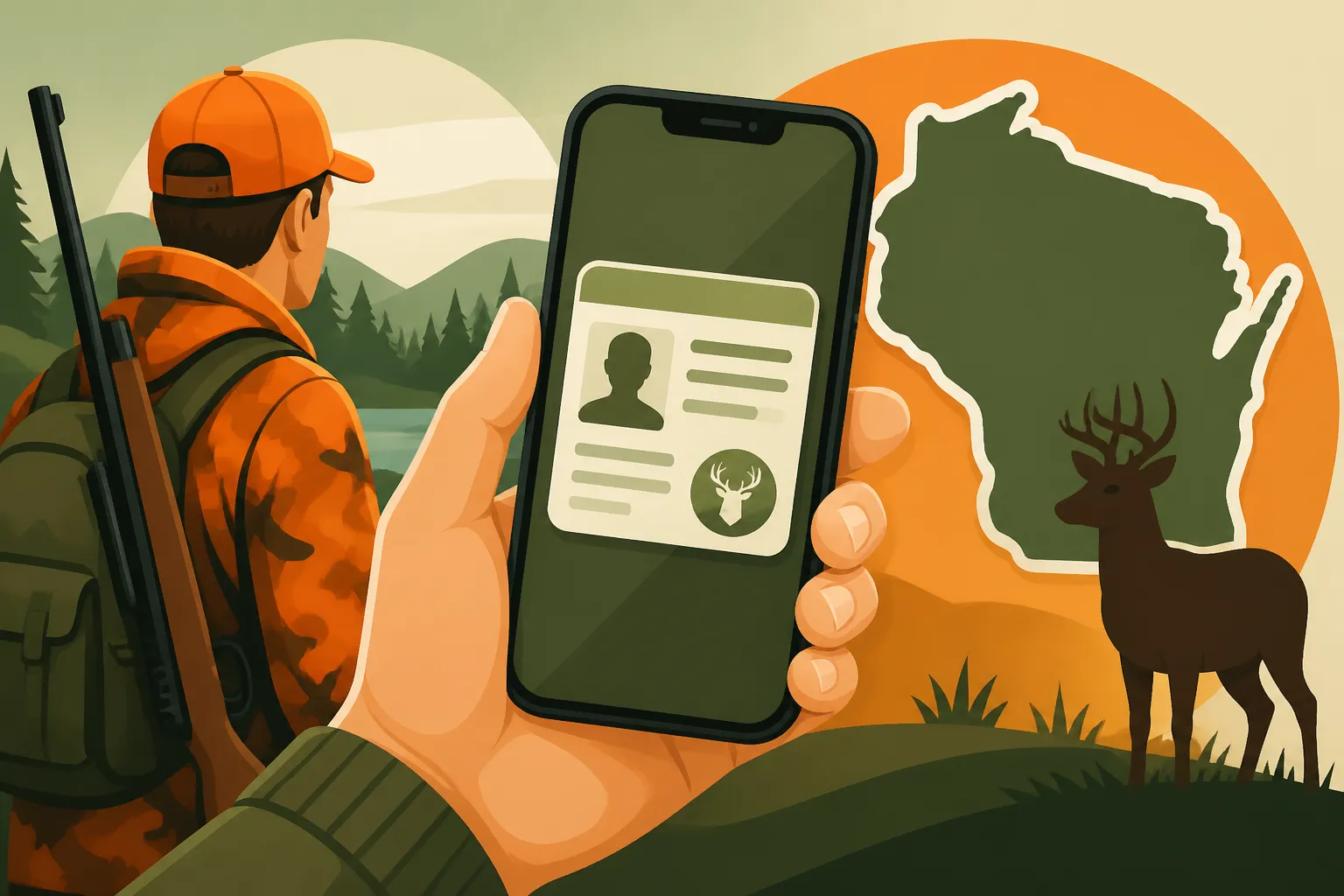
So, if you don't need a paper license, what does count as valid proof? In Wisconsin, your official DNR Customer ID card, which is mailed to you after your first Go Wild purchase, is considered valid proof. However, for most hunters looking for digital convenience, the game-changer is the ability to display your licenses directly on your smartphone. The Wisconsin DNR specifically states that displaying your current valid hunting license, harvest authorization, or stamp on a mobile electronic device is acceptable. This means you can pull up your "Go Wild" account either through a web browser on your phone or, even better, through the official Wisconsin DNR's "Hunt Wild Wisconsin" mobile app.
What's really important here is that it has to be your license. You can't just show a screenshot of an old license or someone else's. The digital display needs to be clear, legible, and directly accessible from your Go Wild account. It’s also crucial to remember that while the digital display is widely accepted for licenses and tags, there might be specific instances, especially with certain permits or special authorizations, where a physical document is still explicitly required. Always double-check the fine print for those unique situations, though for general deer, turkey, or small game hunting, your phone usually suffices. When you're ready to get your licenses, Buying Wisconsin Licences on Go Wild is a straightforward process.
Practicalities of Carrying Your License Digitally
Embracing digital proof is fantastic, but it's not a set-it-and-forget-it solution. There are some real-world considerations that every Wisconsin hunter needs to be aware of to ensure they don't get caught off guard when a warden asks for their papers. We've all been there, out in the middle of nowhere, and suddenly your phone decides to act up. Planning ahead is key to making this convenience truly work for you.
Accessing Your Licenses Through the Go Wild App
The easiest and most reliable way to access your licenses digitally is through the official "Hunt Wild Wisconsin" mobile app. This app is designed specifically for hunters and anglers in the state and integrates seamlessly with your Go Wild account. Once you download the app and log in with your Go Wild credentials, all of your current licenses, harvest authorizations, and stamps are right there. You can even access maps and other scouting tools through the app, which is a fantastic bonus. The user interface is generally intuitive, making it simple to navigate to your license information when needed.
To ensure smooth access, I always recommend logging into the app before you head out into the field, especially if you anticipate being in an area with spotty cell service. Most apps, including "Hunt Wild Wisconsin," will store your logged-in session and often even cache your license information, meaning you won't necessarily need a live internet connection to display it once you've initially accessed it. This pre-trip check can save you a lot of stress and fumbling when a DNR warden appears. If you're a serious hunter always looking for an edge, consider integrating other tools like the GoHunt app for additional scouting features, but always rely on the official DNR app for legal license display. For a deeper dive into its capabilities, check out Using the Wisconsin Hunt Wild App.
What to Do in Low-Service Areas
This is probably the biggest anxiety point for hunters relying solely on their phone: what happens when you’re deep in the Northern Forest or tucked into a Driftless Area coulee where cell service is non-existent? It’s a valid concern, and one that absolutely needs a backup plan. As mentioned, logging into the "Hunt Wild Wisconsin" app beforehand often allows you to display cached information. However, relying solely on cached data can be risky if the app decides to refresh or if your phone decides to play dead.
A smart move is to take screenshots of your critical licenses and harvest authorizations and save them to your phone's photo gallery. While not officially the primary method, a clear, dated screenshot showing your current licenses can often suffice in a pinch, especially if you can explain that you're in a no-service zone. Even better, many hunters opt for a physical backup. This doesn't mean printing everything, but perhaps just your primary hunting license and your deer tag. A small, laminated card with your DNR Customer ID and key license numbers is another excellent low-tech backup. Remember, the goal is to be able to prove you are legally hunting, even if technology fails you.
Keeping Your Device Ready and Charged
A dead phone battery is just as bad as a lost paper license, if not worse, because it impacts so much more than just your license display. Modern smartphones, especially in cold weather, can drain batteries surprisingly fast. Between checking maps, texting hunting partners, taking photos of your successful harvest, and using other hunting apps (like GoHunt for advanced planning), your phone is working overtime. This makes a portable charging bank an absolute must-have piece of gear for any hunter relying on their phone.
Think about it: you’ve just tracked a deer for two hours, you’re exhausted, and a warden pulls up. You pull out your phone, and it’s dead. That’s a situation no one wants to be in. Investing in a robust, weather-resistant power bank with enough capacity for several charges is a small price to pay for peace of mind. Keep your phone warm in an inside pocket to prolong battery life in cold conditions, and consider setting your screen brightness lower to conserve power. These small habits can make a huge difference in ensuring your digital proof is always at your fingertips.
Navigating Game Warden Encounters with Digital Proof
When a Wisconsin DNR conservation warden approaches you in the field, it's generally a friendly but official interaction. They're primarily there to ensure compliance with hunting regulations and to offer assistance if needed. Presenting your digital license proof shouldn't be any more complicated than showing a physical one, but understanding the expectations can help make the interaction smooth and respectful.
Understanding Your Responsibilities as a Hunter
As a licensed hunter in Wisconsin, you have a responsibility to know and abide by all hunting laws and regulations. Part of that responsibility includes being able to present your licenses and authorizations upon request by a conservation warden. Choosing to carry your license digitally doesn't lessen this responsibility; it simply changes the format of presentation. You are still required to display proof of your current, valid licenses and any associated harvest authorizations. This includes your general hunting license, specific tags for deer or turkey, and any required stamps, such as the Wisconsin waterfowl stamp or the state pheasant stamp.
When a warden asks for your license, present your phone clearly and open to your "Hunt Wild Wisconsin" app. Be prepared to scroll through your licenses if necessary. They may ask for your DNR Customer ID, which should also be readily available on your digital profile. A polite and cooperative attitude goes a long way. Wardens understand that technology can have glitches, so if you do encounter a technical issue (like no service, or a low battery despite your best efforts), calmly explain the situation and offer any backup proof you might have, such as a screenshot or your physical ID card. It’s about demonstrating good faith and proving you've done your part. Remember, both Wisconsin Resident Licence Options and Wisconsin Nonresident Licence Options utilize the same digital proof system.
Common Misconceptions About Digital Display
There are a few myths and misunderstandings floating around about digital license proof that we should clear up. One common misconception is that a photo of your license is sufficient. While a screenshot might be an acceptable backup in an emergency, the DNR generally expects you to display your license through the official Go Wild system or the "Hunt Wild Wisconsin" app. This allows the warden to verify the real-time validity of your license, not just a static image that could be outdated.
Another misconception is that wardens might confiscate your phone. This is highly unlikely. Their primary concern is verifying your compliance, not taking your personal property. They will simply observe the display on your device. Finally, some hunters worry about privacy. While you are required to show your hunting license, wardens are not interested in scrolling through your personal photos or messages. Stick to presenting the requested information, and the interaction will be professional and brief. Ensuring you understand basics like Wisconsin Deer Registration Rules alongside your license display is part of being a responsible hunter.
The Role of Digital IDs and Other Credentials
Beyond your hunting licenses, your DNR Customer ID is a critical piece of information. This unique number is tied to all your hunting and fishing records, including your hunter safety certification, which is vital, especially for younger hunters or those who participate in Wisconsin Hunter Safety and Mentored Hunting. While you won't typically need to show your actual Hunter Safety card unless specifically requested for an unusual circumstance, your DNR Customer ID links everything together.
For other credentials, such as federal duck stamps, these often still require a physical signature across the face of the stamp itself, even if you purchase the e-stamp. So, while your state waterfowl stamp might be digital, always double-check the federal requirements. The "Hunt Wild Wisconsin" app also offers handy features like sunrise/sunset tables, game specific regulations, and even CWD sampling station locations, all of which enhance your overall hunting experience and demonstrate your commitment to responsible hunting practices. Remember that even with digital conveniences, rules like Wisconsin Blaze Orange and Pink Rules still apply and require physical display.
Pros and Cons of Going Digital
Like any technological advancement, relying on your smartphone for license proof comes with both notable advantages and a few potential downsides. Weighing these can help you decide if a fully digital approach is right for you, or if a hybrid method (digital primary, physical backup) offers the best peace of mind.
Advantages for the Modern Hunter
The convenience factor is undeniably the biggest win for digital license proof. No more frantically searching for that paper license that somehow slipped out of your wallet or got drenched in a sudden downpour. Your phone is likely always with you anyway, so integrating your licenses into an app simply streamlines your gear. It reduces clutter in your pack and wallet, freeing up space for more critical items.
Furthermore, the "Hunt Wild Wisconsin" app, which is your gateway to digital licenses, is incredibly versatile. It's not just a license display tool; it's a comprehensive resource. Imagine checking regulations, mapping your location, and displaying your deer tag all from one device. This integrated approach is especially useful for modern hunters who leverage technology for scouting, navigation (perhaps with a detailed mapping app like those from GoHunt or onX), and communication. Having all your information instantly accessible can save valuable time and reduce stress in the field. This modern approach is perfectly suited for those who embrace tools like Scouting With the Wisconsin Hunt Wild App.
Potential Drawbacks and How to Mitigate Them
Despite the clear benefits, there are valid concerns with a purely digital approach. The most obvious, as we've discussed, is battery life. A dead phone means no license display, and that's a problem. Another significant concern is device durability. Hunting environments are tough on electronics. Rain, snow, drops, dirt, and extreme temperatures can all wreak havoc on a smartphone. While most hunters use protective cases, a catastrophic failure means losing your primary form of license proof.
Then there's the issue of cell service, or lack thereof. Many prime hunting locations, particularly in Wisconsin's remote northern regions or deep river bottoms, are notorious for having no signal. While caching helps, it's not foolproof. Lastly, for some, the reliance on a screen takes away from the traditional, unplugged experience of being in the woods. These drawbacks aren't insurmountable, however. Carrying a portable charger, investing in a rugged phone case, taking screenshots as a backup, and even keeping a small, laminated paper copy of your main hunting license as a physical backup are all effective strategies to mitigate these risks. Ultimately, the choice is yours, but being prepared for potential technological hiccups is crucial. For information on the larger costs, refer to Wisconsin Hunting Licences and What They Cost.
Here's a quick summary of key points:
| Aspect | Physical License (Traditional) | Digital License (Go Wild App/Screenshot) |
|---|---|---|
| Proof of Validity | Direct physical document | Real-time Go Wild system/App display |
| Convenience | Can be lost, damaged, forgotten | Always with phone, less clutter |
| Reliance on Technology | Minimal | High (battery, signal, device durability) |
| Field Durability | Prone to water/wear & tear | Phone needs protection (case, warmth) |
| Best Practice | Keep safe, possibly laminate | Log in beforehand, screenshot backup, power bank |
| Official Acceptance | Always accepted | Generally accepted by WI DNR |
Disclaimer
Please note that hunting regulations, license requirements, and accepted forms of proof can change. While this guide aims to provide accurate and up-to-date information, it is always the hunter's responsibility to consult the latest Wisconsin Department of Natural Resources (DNR) regulations and publications before heading into the field. This content is for informational purposes only and does not constitute legal advice.