Registering a Wisconsin Deer Online
There’s nothing quite like the rush of a successful deer hunt in Wisconsin, but that incredible high can sometimes be followed by a bit of a scramble. Once the field dressing is done and the deer is retrieved, the immediate next step is often a question mark: "How do I legally register this deer?" This guide is here to walk you through the process of registering your Wisconsin deer online, ensuring you fulfill your legal obligations smoothly and without unnecessary stress.
The Evolution of Deer Registration in Wisconsin
For generations of Wisconsin hunters, registering a deer meant a trip to a local registration station. This often involved hauling your deer to a gas station, a small-town tavern, or a sporting goods store, waiting in line, and getting a physical tag. While these spots held a certain nostalgic charm and were places where stories were swapped, they weren't always convenient, especially in remote areas or late at night. The transition to online and phone registration marked a significant shift, prioritizing accessibility and efficiency for the modern hunter.
Moving Beyond Physical Tagging
Back in the day, that paper tag physically attached to your deer was the undisputed proof of legal harvest. You'd fill out the details by hand, perhaps get a small brass button for your cap, and the information would eventually make its way to the Department of Natural Resources (DNR). While robust, this system had its drawbacks. Imagine harvesting a deer deep in the Northern Forest, miles from the nearest open registration station, especially on a Sunday evening. The pressure to get it registered within the legal timeframe could add a layer of stress to an otherwise successful hunt. This outdated approach highlighted a need for a more flexible and immediate solution.
The shift away from mandatory physical stations wasn't just about convenience; it was about streamlining data collection. The old system, while quaint, relied on manual entry and aggregation, which could be prone to delays and errors. Moving to digital platforms allowed for real-time data input, giving the DNR a much clearer and faster picture of harvest numbers, which is crucial for effective wildlife management. It was a necessary modernization to keep pace with technology and the needs of a diverse hunting population across the state.
The "Go Wild" System's Role
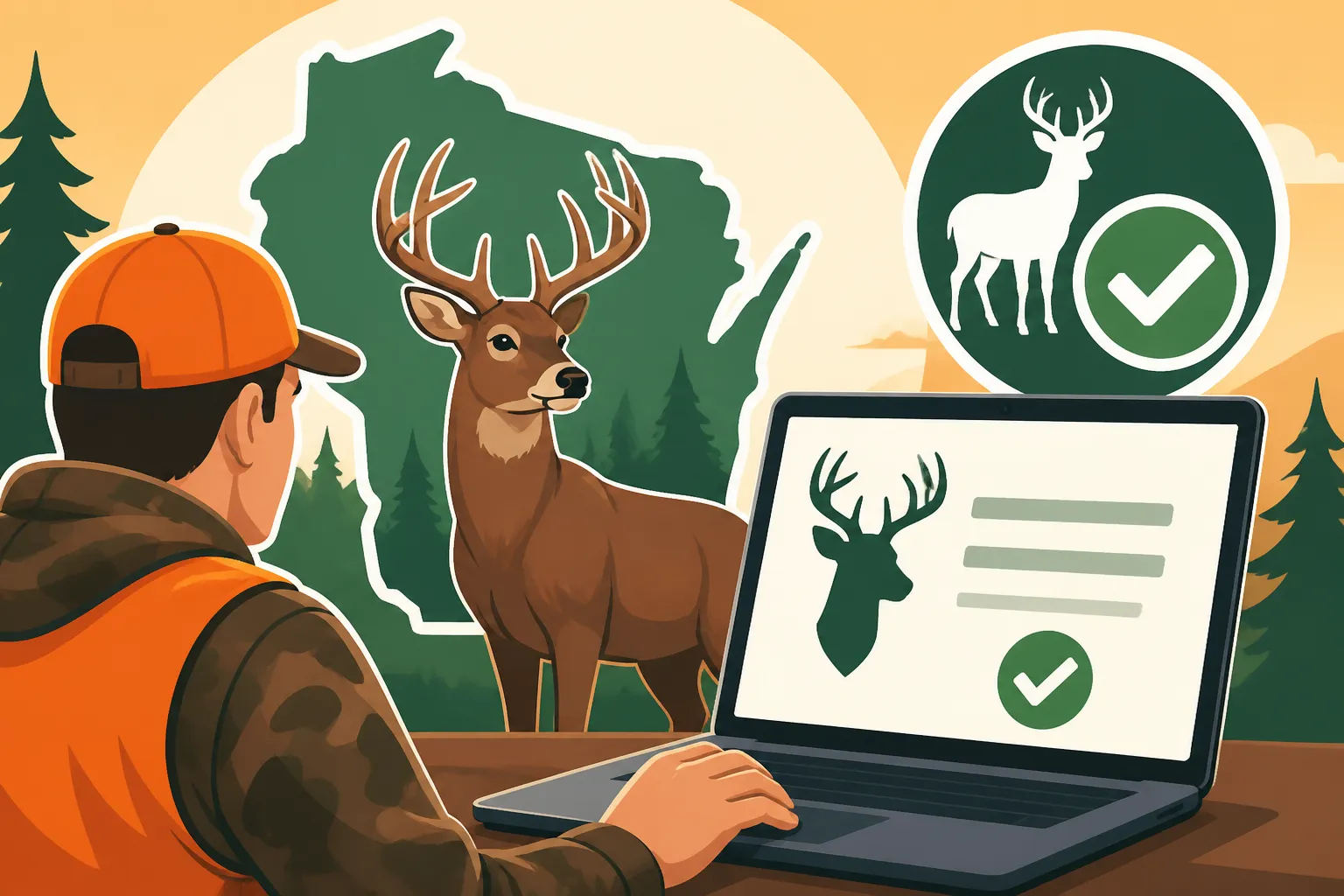
Enter "Go Wild," Wisconsin's comprehensive licensing and registration system. This platform, accessible via computer or mobile device, revolutionized how hunters interact with the DNR. It acts as a central hub for everything from purchasing your hunting licences and what they cost to applying for special permits like those for bear or turkey. For deer hunters, Go Wild means you can now register your harvest from the comfort of your home, your deer camp, or even, with a bit of cell service, right there in the field.
The Go Wild system wasn't just slapped together overnight; it's designed to be user-friendly, although like any new system, it had a learning curve for many. Its primary goal is to simplify the entire hunting process, making it easier for hunters to comply with regulations and for the DNR to gather vital information. This integration ensures that your buck authorization, antlerless harvest authorizations, and all your hunting credentials are tied to one digital profile, reducing the chances of lost tags or expired licenses ruining a hunt. Many hunters appreciate how easy it makes managing all their permits in one place.
Step-by-Step Guide to Online Deer Registration
Registering your deer online through the Go Wild system is a straightforward process once you know what to expect. There's no need to feel intimidated; it's designed to be intuitive. However, like any official procedure, having all your ducks in a row before you start will make it even smoother. Don't wait until the last minute if you can help it, especially if you're in an area with spotty internet service.
Before You Begin: What Information You'll Need
Preparation is key to a smooth registration. Before you even open your browser or pick up the phone, gather these essential pieces of information. Having them written down or easily accessible will prevent you from scrambling mid-process. The system is pretty good about guiding you, but knowing what's coming makes it faster.
- Your Customer ID or DNR ID Number: This is your unique identifier within the Go Wild system, found on your license or by logging into your account. It's essentially your hunting fingerprint.
- Date and Time of Harvest: Be as accurate as possible. This data helps the DNR track hunter activity and deer movement throughout the season.
- County of Harvest: Knowing the precise county is crucial. This helps with local deer management unit assessments. If you're near a county line, double-check your location.
- Deer Management Unit (DMU) of Harvest: This is a specific geographical area, often smaller than a county. You can find this on DNR maps or by using the Hunt Wild App. Many popular hunting tools, like the GoHunt platform, also have excellent mapping layers that can help you identify your specific DMU right down to the parcel you harvested on, streamlining this part of the process.
- Land Type: Was the deer harvested on public land or private land? This impacts how different antlerless authorizations are applied.
- Sex of Deer: Buck, antlerless deer (doe or fawn).
- Antler Points (for bucks): Count points on one side, including brow tines, provided they are at least one inch long. If it's a spike or button buck, specify that.
- Type of Authorization Used: This could be your general archery/gun buck tag, a bonus antlerless tag, or a youth tag. Knowing how many deer you can take in Wisconsin is important beforehand.
Here's a quick reference table of the details you'll need:
| Information Required | Description | Why it's Important |
|---|---|---|
| Customer ID / DNR ID | Your unique identifier on Go Wild. | Links the harvest to your license and hunting history. |
| Date & Time of Harvest | Exact time and date the deer was taken. | Helps track seasonal harvest patterns. |
| County of Harvest | The specific county where the deer was harvested. | Used for county-level harvest data and CWD monitoring. |
| Deer Management Unit (DMU) | Specific management zone within the county. | Critical for localized deer population management strategies. |
| Land Type | Public or Private. | Affects the validity of certain antlerless authorizations. |
| Sex of Deer | Male (Buck) or Female (Antlerless). | Essential for population modeling and harvest quotas. |
| Antler Points | For bucks, count points ≥ 1 inch (one side). | Used for buck age structure analysis and management. |
| Authorization Used | Which specific tag (e.g., Gun Buck, Archery Antlerless) was applied. | Tracks which tags are being filled and remaining harvest potential. |
Navigating the Go Wild Portal
Once you have your information ready, head to the Wisconsin DNR Go Wild website. The interface is pretty straightforward. You'll need to log in using your Customer ID and password. If you haven't set up an account yet, you'll need to do so, but most active hunters will already have one from purchasing their licenses.
After logging in, look for the "Register Game" or "Game Registration" section. It's usually prominently displayed on your dashboard. From there, you'll select "Register Deer." The system will then prompt you through a series of questions, asking for each piece of information you gathered in the previous step. Take your time and double-check each entry before moving to the next screen. Even advanced hunters who use sophisticated mapping tools like GoHunt for planning and scouting still need to carefully input the official details on Go Wild.
The website is designed with clear prompts and drop-down menus, making it relatively easy to navigate. If you're on a mobile device, the site is responsive and works well, though a larger screen might be preferable for reviewing all the details before submission. Remember, the goal is accuracy, so don't rush through the pages.
Entering Harvest Details
This is where you'll input the specifics of your harvest. The system will guide you through each field, asking about the county, DMU, and land type. For the DMU, if you're unsure, there's usually a lookup tool or map link directly within the Go Wild platform to help you verify. This is particularly helpful when dealing with various Wisconsin Deer Seasons and Zones. You'll specify whether it was a buck or antlerless deer, and if a buck, the number of antler points.
The system will also ask you to select which authorization you are using for this deer. This is where your understanding of Wisconsin Antlerless Harvest Authorizations or your general buck tag comes into play. For instance, if you harvested an antlerless deer, you'll likely use a bonus antlerless tag if you have one. If it's a buck, you'll use your standard "buck" authorization. The system typically shows you which authorizations are still available on your account. After you've confirmed all the details, the system will ask for one final review. This is your last chance to catch any errors. Once you hit submit, you'll receive a confirmation number. Make sure to record this number, either by printing the confirmation page, taking a screenshot, or writing it down. This number is your proof of legal registration.
Common Questions and Troubleshooting
Even with the best intentions, questions and issues can pop up. It's totally normal. Knowing how to handle these common scenarios can save you a lot of headache and ensure you stay compliant with Wisconsin's hunting regulations. The last thing you want after a great hunt is a registration problem.
What if I Don't Have Internet Access?
This is a very common concern, especially for those of us who venture deep into the Northwoods or remote parts of the Driftless Area where cell service is a distant dream. The good news is that Wisconsin's DNR has a backup plan for you: phone registration. You can simply call 1-844-4WDNR.
When you call, you'll go through the same process as online registration, providing all the same details to an automated system. It's essentially the same questions, just spoken aloud. Make sure you have your customer ID and all the harvest information handy, just like you would for the online portal. Once you've completed the phone registration, you'll be given a confirmation number. Again, this is vital; write it down and keep it somewhere safe. While the phone system might feel a bit clunky compared to the visual online interface, it’s a lifesaver when you're off the grid. Many hunters use the opportunity to get their deer registered while heading back from a successful hunt, perhaps as they drive into a service area, ensuring they meet the registration deadline.
Understanding Your Confirmation Number
That confirmation number you receive after successfully registering your deer isn't just a receipt; it's your official proof of registration. Think of it as your deer's digital birth certificate. It confirms that you have legally reported your harvest to the state. This number, along with your customer ID, links your specific deer to your license and ensures that you've complied with the law.
You should always keep this number accessible. While you don't typically need to physically attach it to the deer, if a warden were to check your harvest, this is the information they would ask for. It's a good practice to take a picture of the confirmation screen with your phone, email it to yourself, or write it in your hunting journal. This way, you have multiple backups. This number is particularly important if there are any questions later about your harvest or if you need to provide proof of legal harvest when processing your deer or crossing state lines, especially with Wisconsin Carcass Transport Rules in mind.
Correcting a Mistake After Registration
Oops! You hit submit and then realized you accidentally put 8 points instead of 9, or maybe you listed the wrong DMU. It happens to the best of us. The good news is that minor mistakes can usually be corrected. The first step is to immediately contact the Wisconsin DNR customer service. Don't try to register the deer again or ignore the mistake.
Explain the situation clearly, providing your customer ID and the original confirmation number. The DNR staff are generally understanding and will guide you through the process of amending your registration. It might involve them making the correction directly or instructing you on how to update it. The key is to be proactive and address the error as soon as you notice it. Deliberately providing false information is a serious offense, but an honest mistake, when promptly reported, can almost always be rectified without penalty.
Why Accurate Registration Matters
Registering your deer might feel like just another bureaucratic step, but it's far more significant than that. Every single registration contributes to a massive dataset that directly influences the health of Wisconsin's deer herd and the future of hunting opportunities in the state. Your quick submission is a direct contribution to conservation efforts.
Data for Deer Management
Each piece of information you provide during registration – county, DMU, sex, antler points, date, and time – is aggregated by the DNR. This data forms the backbone of their scientific deer management practices. Without accurate harvest data, it would be impossible for wildlife biologists to understand population trends, herd health, and the impact of various hunting seasons. For example, by tracking the number of antlered vs. antlerless deer harvested in specific areas, the DNR can assess population growth, determine appropriate quotas for future seasons, and make informed decisions about setting tags for specific regions or even when Wisconsin's Archery Season Opens or the gun season runs.
This information helps determine things like how Northern Forest quotas are set or how Farmland Zone quotas are set, ensuring that harvest levels are sustainable. It informs decisions about bonus antlerless tags, youth hunts, and even special hunts in areas with high CWD prevalence. It's a real-time pulse of the deer herd that allows for adaptive management, which means adjusting strategies based on current conditions rather than relying on outdated assumptions.
Your Role in Conservation
As a hunter, you are inherently a conservationist. By diligently registering your deer, you are actively participating in the scientific management of Wisconsin's natural resources. It's a direct way for you to contribute to the long-term health and sustainability of the deer population for future generations. Your registration ensures that the data is as complete and accurate as possible, leading to better management decisions. This participation is part of the tradition and responsibility that comes with hunting.
Beyond the numbers, your contribution helps the DNR monitor for wildlife diseases like Chronic Wasting Disease (CWD). When you provide your harvest location, it helps the DNR pinpoint areas of concern for CWD testing for hunters, and track the spread or containment of such diseases, influencing carcass movement restrictions. Every hunter's honest and accurate registration makes the collective data more reliable, thereby strengthening the foundation of Wisconsin's conservation efforts. It's a small act that has a profound impact on maintaining healthy deer herds and ensuring that the tradition of Wisconsin hunting thrives well into the future.
Disclaimer
Please note that hunting regulations, seasons, and registration procedures can change. Always consult the official Wisconsin Department of Natural Resources (DNR) website or their current hunting regulations pamphlet for the most up-to-date and accurate information before heading into the field. This guide is for informational purposes only and should not replace official DNR resources.